

 See My Latest Article on HelloNation
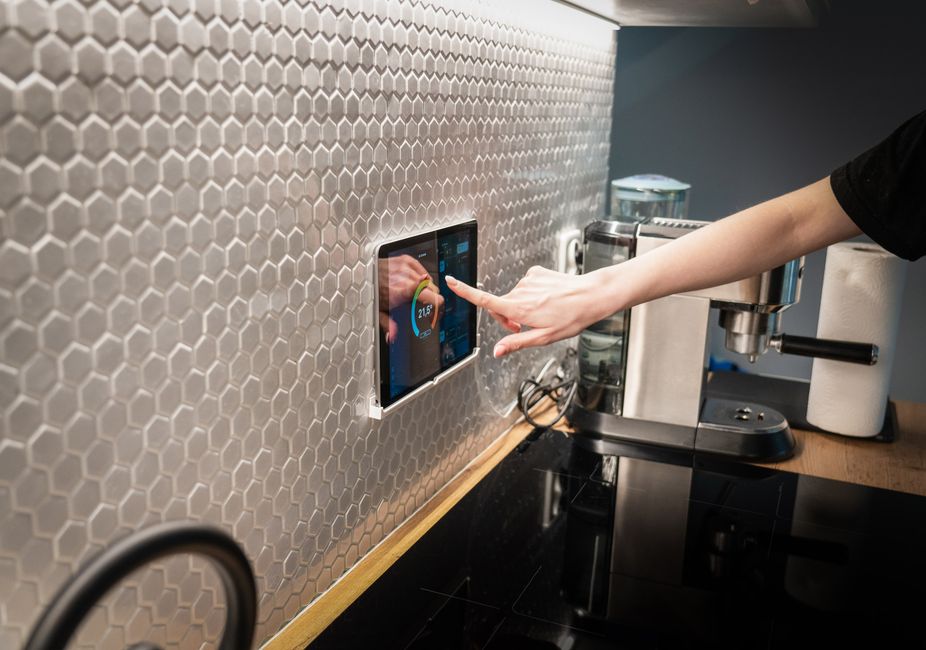
Smart home automation can improve a daily routine by handling repetitive tasks, coordinating household systems, and making the home easier to monitor. The most useful setups are not necessarily the most complicated. They are designed around real habits, such as arriving home after dark, adjusting indoor temperatures during hot weather, managing lights, or checking whether doors and appliances are secure.
For residents of Tucson, automation can be especially useful for managing heat, bright sunlight, seasonal dust, water use, and homes that may sit empty for part of the day. The goal is not to automate every action. It is to reduce friction while keeping the household comfortable, safe, and in control.
What does smart home automation actually do?
Smart home automation connects compatible devices so they can respond to schedules, sensor readings, voice commands, or actions from another device. A light can turn on when motion is detected, shades can close when sunlight reaches a certain level, or the thermostat can adjust before people return home.
Automation generally works in three ways:
- Scheduled actions: Devices operate at set times, such as exterior lighting turning on around sunset.
- Triggered actions: A sensor or event starts a response, such as a door opening or indoor temperature rising.
- Coordinated scenes: Several devices respond together to a command, such as turning off lights, adjusting the thermostat, and locking doors when the household goes to sleep.
These systems may include lighting, climate control, motorized shades, security sensors, entertainment equipment, irrigation controls, and energy monitoring. A reliable setup should still allow manual control if the internet connection, mobile device, or central controller is unavailable.
How can automation make mornings easier?
Morning routines often involve the same series of small tasks. Automation can reduce the number of decisions required before leaving for work, school, or other activities.
A scheduled routine might gradually raise interior lighting, adjust the thermostat, open selected shades, and turn on background audio. Motion sensors can provide low-level lighting in hallways or bathrooms without requiring someone to find a switch in the dark.
This is particularly helpful in homes with different schedules. Instead of turning on every light or changing the temperature throughout the entire house, automation can respond to activity in specific areas. A bedroom routine may differ from a kitchen or entryway routine.
Routines should be designed conservatively. Lights that turn on too early, announcements that play too loudly, or shades that open before the home is comfortable can quickly become irritating. The best schedules are easy to pause, change, or override.
Can automation improve comfort during Tucson’s hot weather?
Yes. Climate automation can help maintain comfort while reducing unnecessary heating and cooling. A thermostat can use occupancy information, schedules, and temperature sensors to avoid cooling empty rooms as aggressively as occupied spaces.
Sunlight management also matters. Automated shades can close during the brightest part of the day, especially on windows that receive strong afternoon exposure. This can reduce glare and limit solar heat entering the home. In the evening, shades can open again to provide privacy or take advantage of cooler conditions.
Temperature sensors are useful when a single thermostat does not reflect the conditions throughout the home. Rooms with large windows, high ceilings, or limited airflow may feel significantly different from the area near the main thermostat.
Automation cannot compensate for every building problem. Poor insulation, blocked air returns, dirty filters, air leaks, or aging equipment may still cause uneven temperatures. Smart controls work best when the underlying mechanical systems are properly maintained.
How does automation help with lighting and electricity use?
Automated lighting can make a home more convenient and reduce lights being left on unnecessarily. Occupancy sensors work well in spaces such as laundry rooms, storage areas, hallways, and bathrooms. In frequently used rooms, scheduled or scene-based lighting may be more comfortable than motion activation.
A “leaving home” routine can turn off selected lights and entertainment equipment at once. An “away” routine can keep a limited number of lights active at varied times, making the home appear occupied without leaving every fixture on.
Energy monitoring can show which systems use the most electricity and when demand is highest. This information is often more valuable than simply adding more automation. A household may discover that cooling, pool equipment, auxiliary heaters, or always-on electronics account for more energy use than expected.
Automated controls should not disable safety equipment or essential ventilation. They also should not create frequent power cycling for appliances that are not designed for it.
What role can smart security features play?
Smart security features can improve awareness, but they do not replace sound locks, secure windows, outdoor lighting, or responsible household habits. Door and window sensors can report whether an opening is secured. Water-leak sensors can provide early warning near water heaters, washing machines, sinks, and other vulnerable areas.
A routine can notify household members if a door remains open unusually long or if unexpected motion occurs while the home is set to an away mode. Cameras and video doorbells may also provide useful information, but privacy settings and data storage should be reviewed carefully.
For area homes that may be vacant during travel or seasonal absences, automated lighting, temperature alerts, and leak detection can help identify problems earlier. Temperature monitoring is also useful for protecting equipment, pets, plants, and temperature-sensitive areas during extreme weather.
Notifications should be selective. Too many alerts lead people to ignore them. A practical system separates urgent warnings, such as water leaks, from lower-priority updates, such as a light remaining on.
Can smart home automation help older adults or people with disabilities?
It can support independence by reducing the need to reach switches, carry devices, or move repeatedly through the home. Voice control, large-button interfaces, automated shades, pathway lighting, and door-status notifications may be helpful for residents with limited mobility, vision challenges, or fatigue.
Automation should supplement, not replace, accessible physical controls. A person should still be able to operate essential lights, locks, climate controls, and appliances without relying entirely on a phone or voice assistant.
The most useful approach begins with a specific difficulty. For example, a resident may need better nighttime lighting, easier control of window coverings, or a way to confirm whether a door is locked. Solving that problem directly is usually more effective than installing a large collection of unrelated devices.
What should households consider before automating?
Compatibility and reliability matter more than the number of devices. Before adding equipment, consider:
- Whether devices can communicate through the same control platform
- What happens if the internet connection fails
- Whether manual switches and controls remain available
- How software updates and account security are handled
- Whether notifications can be adjusted by urgency
- How much personal data the system collects
- Whether the equipment is suitable for heat, dust, and outdoor exposure
Privacy deserves particular attention. Microphones, cameras, occupancy sensors, and cloud-connected devices can reveal household routines. Use strong, unique passwords, enable multifactor authentication when available, limit unnecessary permissions, and review access when someone moves out or no longer needs control.
Automation also requires maintenance. Batteries need replacement, sensors may shift, and schedules can become outdated after a change in work hours, school calendars, pets, or household occupancy.
Which routines are worth automating first?
Start with repetitive tasks that cause inconvenience or are often forgotten. Good first candidates include a bedtime lighting routine, exterior lighting based on sunset, a “leaving home” checklist, leak detection, and temperature alerts.
Avoid automating tasks simply because they are technically possible. A routine should save time, improve comfort, provide useful information, or reduce a meaningful safety risk. If a system requires frequent troubleshooting, confusing commands, or multiple separate applications, it may be adding work rather than removing it.
The strongest smart home routines are usually quiet and predictable. They make the home easier to live in without demanding constant attention.