

 See My Latest Article on HelloNation
Lighting control systems are tools that manage when lights turn on, how bright they are, and how different fixtures work together. They can be as simple as a dimmer or as coordinated as a system that responds to schedules, occupancy, daylight, and user commands.
For residents and business operators in Tucson, AZ, lighting control can improve comfort, reduce wasted electricity, and make indoor and outdoor spaces easier to use. The right system depends on the building, the type of lighting, and how much automation is actually needed.
What does a lighting control system do?
A lighting control system changes the operation of lights through switches, dimmers, sensors, timers, software, or a combination of these components. It may control a single room or coordinate lighting throughout a home, office, retail space, or other facility.
Basic functions include:
- Turning lights on and off
- Adjusting brightness
- Setting schedules
- Detecting whether people are present
- Responding to available daylight
- Grouping multiple fixtures into scenes
- Controlling indoor and outdoor lighting separately
A conventional wall switch provides manual control. A more advanced system may allow a single command to set several lights at once, such as lowering the living room lights, turning on a hallway fixture, and switching off exterior lighting at bedtime.
What are the main types of lighting controls?
The most common lighting controls range from manual devices to automated systems.
Switches and dimmers are the simplest starting point. A standard switch provides on-and-off control, while a dimmer adjusts light output. Not every LED lamp works correctly with every dimmer, so compatibility matters. Flickering, buzzing, limited dimming range, or premature failure can result from mismatched components.
Timers and schedules turn lights on or off at predetermined times. These controls work well for exterior lighting, entry areas, landscape lighting, and spaces with predictable operating hours. Schedules may need seasonal adjustment because sunrise and sunset times change throughout the year.
Occupancy and vacancy sensors use motion or presence detection. An occupancy sensor turns lights on when activity is detected and turns them off after the space has been empty. A vacancy sensor requires a person to turn the lights on but shuts them off automatically when the room is no longer occupied. This distinction can be useful in offices, storage rooms, restrooms, and bedrooms.
Daylight sensors measure available natural light and adjust electric lighting accordingly. In rooms with windows or skylights, this can reduce unnecessary light output during bright daytime hours. Tucson’s strong sunlight makes daylight response especially useful, although window orientation, shades, glare, and heat gain must also be considered.
Scene controls operate several fixtures together. A “movie” scene might lower general lighting while leaving a pathway light on. A “cleaning” scene might bring multiple fixtures to full brightness. Scenes are most useful when a room serves several purposes.
Centralized or networked systems coordinate lighting across multiple rooms or zones. These systems may use a local control processor, a network connection, or both. Some continue to provide basic control if the internet is unavailable, while others depend more heavily on cloud services.
How does lighting automation differ from a smart bulb?
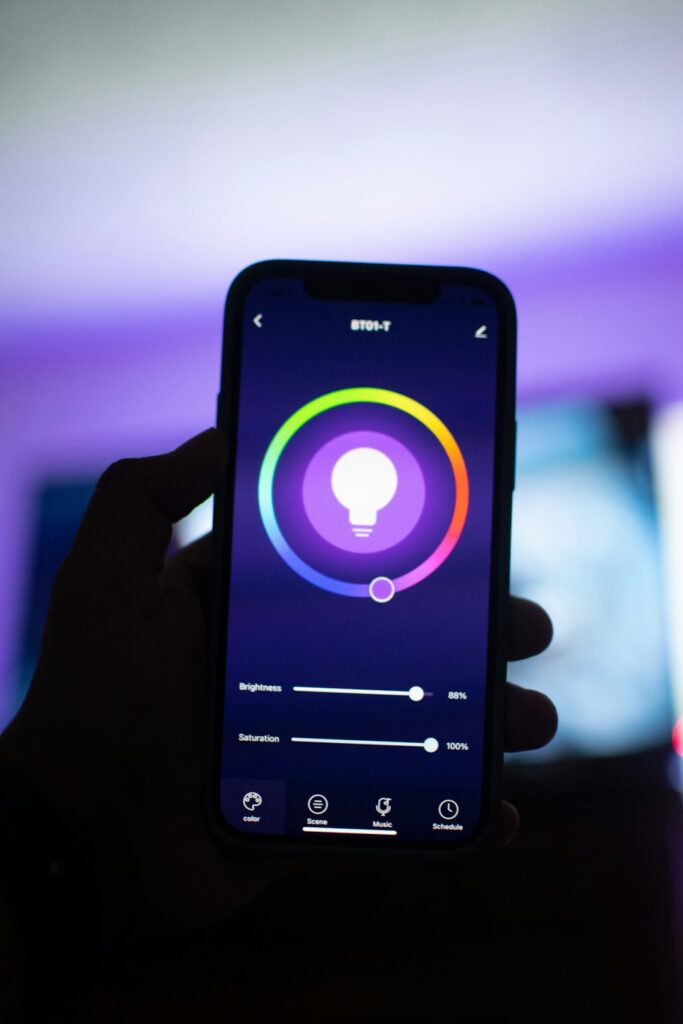
A smart bulb is an individual lamp with built-in electronics for remote or automated control. A lighting control system manages the entire electrical lighting arrangement, often through wall controls, dimmers, relays, sensors, and programmed scenes.
Smart bulbs can be practical for lamps and locations where changing the fixture is easy. However, they may be less suitable when several ceiling fixtures need to operate together. If someone turns off the wall switch supplying power to a smart bulb, remote control may stop working.
Installed controls usually preserve familiar wall-switch operation while adding automation. They can also be easier to use for visitors, children, employees, or anyone who does not want to operate a phone app for basic lighting.
What should be considered in Tucson homes?
Climate and daily habits affect lighting decisions. Bright sunlight can make daylight sensors useful, but intense afternoon glare may create a need for shades or carefully adjusted dimming rather than simply reducing electric light.
Outdoor lighting also deserves attention. Exterior fixtures are often used for entry visibility, walkways, patios, and security. A schedule based only on a fixed clock may turn lights on too early or leave them off after seasonal changes. Astronomical scheduling, which follows sunrise and sunset, can provide more consistent timing.
Dust, heat, and monsoon conditions can affect outdoor equipment and connections. Exterior devices should be rated for their location, protected from direct exposure where appropriate, and installed according to applicable electrical requirements. Pool areas, wet locations, detached structures, and exterior circuits require particular care because water and electricity create serious hazards.
Older homes may have limited wiring options, shallow electrical boxes, or switches that do not include a neutral conductor. These conditions can restrict which controls are compatible. A system should be evaluated based on the existing wiring rather than chosen only by appearance or app features.
How can lighting controls save energy?
Lighting controls save energy by reducing the amount of time lights operate and lowering output when full brightness is unnecessary. Dimming a fixture generally uses less power than operating it at full intensity, although the exact savings depend on the equipment.

Useful strategies include:
- Turning off lights in unoccupied rooms
- Scheduling exterior lighting around actual need
- Using lower brightness for evening activities
- Separating frequently used areas from rarely used areas
- Combining daylight with electric lighting
- Avoiding automatic settings that turn on more fixtures than necessary
Controls cannot compensate for inefficient or poorly designed lighting. A system may automate waste if it activates too many fixtures, uses overly long sensor timeouts, or keeps decorative lighting operating all night.
What is the difference between occupancy sensors and motion sensors?
The terms are often used interchangeably, but they are not always identical in practice. A motion sensor detects movement. An occupancy sensor is intended to determine whether a space is being used, sometimes by combining different detection methods.
A motion-only device may turn lights off while someone is sitting still at a desk, reading, or watching a presentation. Placement and sensitivity are therefore important. Furniture, partitions, ceiling height, air movement, and the size of the room can affect performance.
Sensor timing should match the activity. A short timeout may be appropriate for a pantry, while an office or classroom may require a longer period. Poorly adjusted sensors are a common reason people disable automated lighting.
Are lighting control systems difficult to use?
A well-designed system should make ordinary actions simple. People should be able to turn lights on, off, or brighter without opening an app or remembering complicated commands.
Complexity usually appears during setup rather than everyday use. Decisions may include naming rooms, assigning switches to zones, creating scenes, setting schedules, configuring sensor behavior, and determining what happens after a power interruption.
The system should also account for guests and shared spaces. A control method that works for one household member may be confusing for others. Physical switches, clearly labeled buttons, and predictable defaults remain valuable even in highly automated buildings.
What safety and reliability issues matter?
Lighting controls involve electrical wiring, connected equipment, and sometimes ladders or exterior access. Work inside electrical boxes should follow applicable safety practices and local requirements. Turning off a switch does not always prove that a circuit is de-energized.
Reliability also depends on separating essential lighting from optional automation. Stairways, exits, entrances, and safety-related areas should remain usable if a network, app, or automation processor becomes unavailable.
Before selecting equipment, check compatibility with the lamp type, voltage, load size, wiring arrangement, enclosure location, and control method. The most useful system is not necessarily the one with the most features. It is the one that provides dependable control, sensible defaults, and convenient manual operation for the people using the space.