

 See My Latest Article on HelloNation
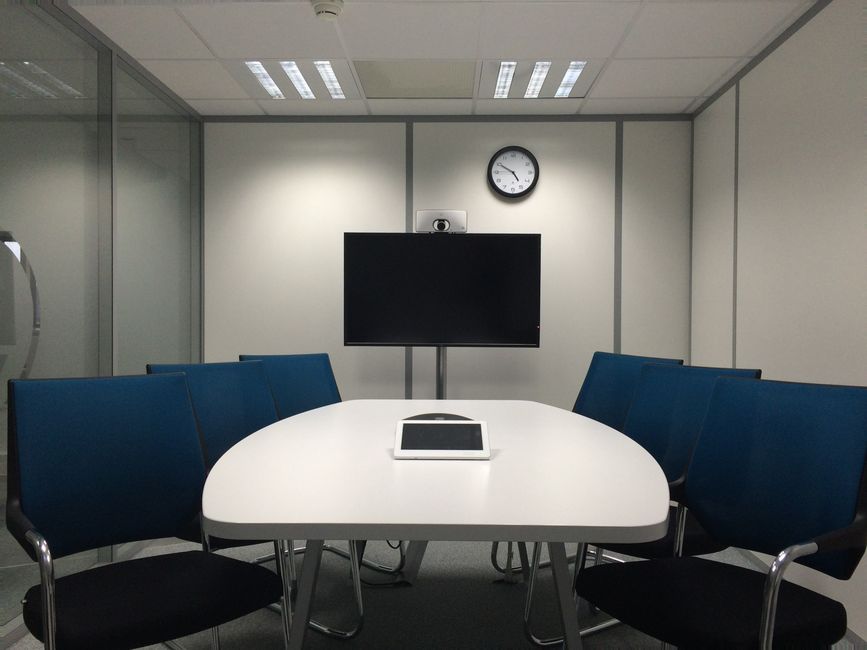
What is an automated meeting room?
An automated meeting room uses technology to simplify common tasks such as starting a meeting, sharing content, adjusting displays, controlling room lighting, and connecting remote participants. Instead of requiring several separate controls, the room follows a predictable sequence through a wall panel, tabletop controller, occupancy sensor, or scheduled automation.
Automation does not mean that every decision is made without people. It means the room handles routine steps consistently so participants can focus on the meeting itself.
A typical automated room may coordinate:
- Displays or projectors
- Cameras and microphones
- Speakers and audio levels
- Video-conferencing connections
- Lighting scenes
- Motorized shades
- Room scheduling information
- Power management for selected equipment
The exact setup depends on the room’s size, purpose, ceiling height, window exposure, acoustics, and the types of meetings held there.
How does automation save time before meetings?
The most immediate benefit is reducing setup time. In a manually operated room, someone may need to turn on multiple devices, select the correct input, locate the right remote, lower the shades, adjust lighting, and troubleshoot audio before the meeting can begin.
An automated room can place those steps into a few clearly labeled commands, such as “Start Meeting” or “Present.” A presentation setting might activate the main display, select the correct source, lower the front lighting level, and keep enough light near the participants for note-taking.
This is especially useful when meetings are scheduled closely together. Even saving several minutes per meeting can reduce delays across a full workday. The benefit is not limited to large offices. Small businesses, shared workspaces, educational facilities, medical offices, and community organizations can also benefit when rooms are used frequently.
Why is consistent video and audio quality valuable?
A meeting room may look functional while still producing poor communication. Common problems include microphones that pick up air-conditioning noise, speakers placed too far from participants, cameras aimed at the wrong area, or displays that create glare.
Automation supports consistency by recalling appropriate settings for the room. For example, a video-conferencing scene can select the correct camera, activate the microphone system, set a reasonable starting volume, and choose the preferred display layout.
Consistency matters because participants should not have to relearn the room each time they use it. It also helps remote attendees hear and see the meeting more clearly. A person joining from outside the office should not have to repeatedly ask others to move closer to a microphone or repeat information that was lost because of uneven audio.
Automation cannot correct every acoustic or network problem. It works best when the room’s equipment is properly placed, tuned, and maintained.
Can automated meeting rooms improve accessibility?
They can make meeting spaces easier to use for people with different levels of technical experience, mobility, vision, hearing, or familiarity with the room.
Clear controls with large labels and logical layouts can reduce confusion. A single start command may be easier than operating several small remotes. Automated lighting can help reduce harsh glare, while display and audio presets can support more consistent visibility and volume.
Accessibility also depends on meeting practices. Captions, readable presentation materials, unobstructed walkways, adequate seating space, and microphones that capture every speaker remain essential. Automation is a support tool, not a replacement for inclusive room planning.
How do automated rooms help offices use space more efficiently?
Many offices have rooms that serve several purposes. A room may function as a presentation space in the morning, a small-group collaboration area later, and a training room during another part of the week.
Automation allows these uses to be represented by separate room modes. A presentation mode may favor a large front display and controlled lighting. A discussion mode may use a wider camera view and more even illumination. A video-conference mode may prioritize speech intelligibility and camera framing.
This flexibility can reduce the need for separate rooms dedicated to every type of meeting. It also helps organizations make better use of existing floor space, which can be valuable in offices where expansion is difficult or expensive.
What are the energy benefits?
Automated rooms can reduce unnecessary power use by turning off selected equipment when a meeting ends or when a room remains unoccupied. Displays, amplifiers, cameras, and control processors do not always need to remain fully active during idle periods.
Occupancy sensors and schedules can support this process, although they should be configured carefully. A long meeting, quiet participant, or short break should not cause equipment to shut down unexpectedly.
In Tucson, strong sunlight and seasonal heat can also affect room comfort and display visibility. Coordinated lighting and motorized shades may reduce glare and help limit unwanted heat near windows. These controls should complement the building’s heating and cooling systems rather than operate independently in ways that waste energy.
Does automation reduce technical problems?
It can reduce routine mistakes, but it does not eliminate maintenance needs. A well-designed system limits the number of choices users must make, reducing problems such as selecting the wrong input or changing a setting that affects the next meeting.
Useful safeguards may include:
- A clearly labeled “end meeting” command
- Automatic return to a standard room state
- Locked settings for equipment that users should not change
- Simple instructions near the main control
- Alerts when a device is offline
- Separate controls for essential functions and advanced settings
The room should also have a manual fallback. If a sensor, network connection, or control interface fails, users still need a practical way to operate basic lighting, displays, or audio equipment.
What should offices consider before automating a room?
The best design begins with how the room is actually used. Important questions include:
- How many people normally attend?
- Are meetings mostly in person, remote, or hybrid?
- Is content shared from laptops, fixed computers, or both?
- Does the room need to support presentations, training, interviews, or confidential discussions?
- Are windows causing glare or heat?
- Can everyone be heard without passing a microphone?
- Who will manage room schedules and equipment updates?
- What happens if the network is unavailable?
Acoustics deserve particular attention. Hard floors, glass walls, and bare surfaces can create echoes that no control panel can solve. Soft furnishings, appropriate ceiling materials, wall treatments, and careful microphone placement may have more effect on speech clarity than adding another automated feature.
Network reliability is also significant because many modern meeting systems depend on wired or wireless connectivity. Equipment should be arranged so that critical functions are not unnecessarily dependent on one failure point.
Are automated meeting rooms worth the investment?
They can be worthwhile when a room is used often, supports hybrid meetings, or regularly loses time to setup and troubleshooting. The value usually comes from reduced meeting delays, more reliable communication, easier room sharing, and lower unnecessary equipment use.
Automation may be less useful in a room that is rarely occupied or used for only one simple purpose. A small space with one display and occasional presentations may need only a straightforward control system rather than a complex network of sensors and presets.
The practical goal is not to add technology for its own sake. A successful automated meeting room makes common tasks easier, improves communication for people in the room and elsewhere, and remains understandable when something does not work as expected.