

 See My Latest Article on HelloNation
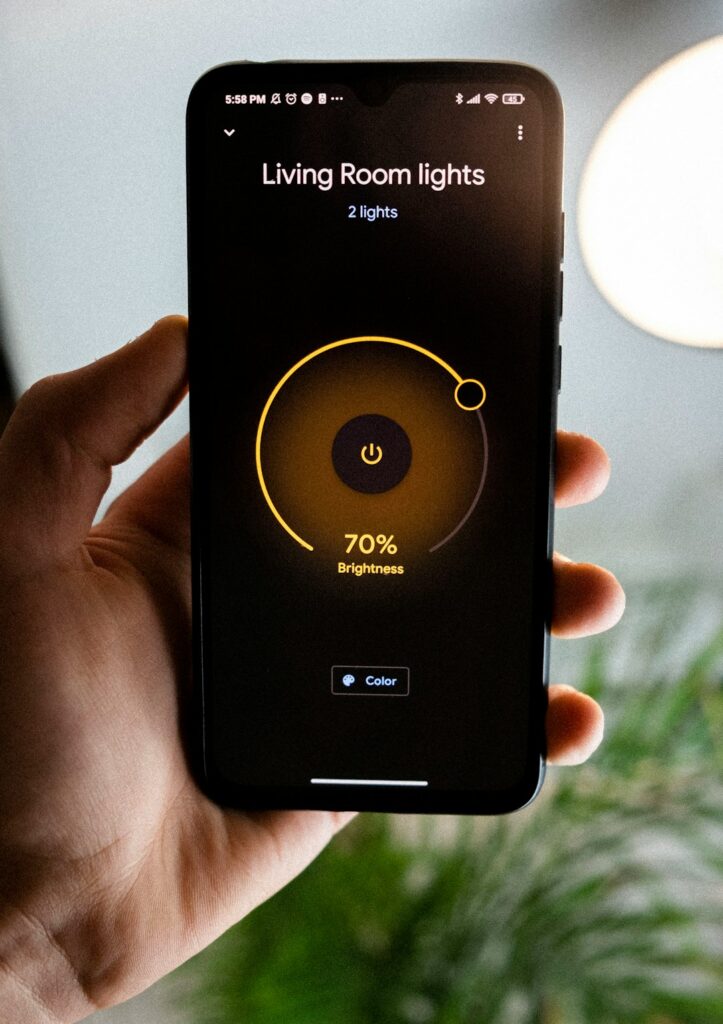
Voice control and app control can both make a smart home easier to manage, but they serve different purposes. Voice commands are convenient for quick, hands-free actions, while apps provide greater detail, control, and reliability when settings need to be reviewed or adjusted.
The better choice depends on the household, the types of devices installed, privacy preferences, and how consistently the system must work during busy or inconvenient moments.
Is voice control or app control better for a smart home?
Neither option is universally better. Voice control is usually most useful for simple commands, while app control is better for detailed adjustments, device setup, scheduling, and troubleshooting.
Voice commands work well for tasks such as:
- Turning lights on or off
- Adjusting a thermostat
- Starting music in a selected room
- Checking whether a door is locked
- Activating a preset scene
- Controlling shades while carrying something
An app is generally more practical when a person needs to see several devices at once, change a precise setting, review a camera, edit a schedule, or determine why an automation did not run.
Many households benefit from using both. Voice control can serve as the quick interface, while the app remains the primary tool for configuration and confirmation.
When is voice control the most useful?
Voice control is most valuable when hands-free operation matters. A spoken command can be faster than finding a phone, opening an app, and navigating to the correct device.
This is helpful in kitchens, living areas, bedrooms, and entry points. A resident carrying groceries may want to turn on lights without touching a switch. Someone preparing food may adjust audio or a thermostat without washing and drying their hands first. At night, a voice command can turn off several lights without searching for a phone in a dark room.
Voice control can also support accessibility. People with limited mobility, reduced dexterity, or difficulty reading small screens may find spoken commands easier than touch controls.
There are limits, however. Voice systems may misunderstand names, respond to background noise, or confuse similar devices. Commands can also be awkward when several people are speaking, a television is playing loudly, or a resident wants to perform a task privately.
When does an app work better?
Apps are better for visual information and precise control. A screen can show the current state of lights, thermostats, locks, cameras, audio zones, and sensors in a way that spoken commands cannot.
An app is particularly useful for:
- Setting a specific temperature rather than asking for a general adjustment
- Reviewing which lights or devices are active
- Creating schedules for weekdays, weekends, or travel periods
- Adjusting audio volume by room
- Viewing camera images or recorded events
- Managing user permissions
- Renaming rooms and devices
- Checking battery levels or connection status
App control also reduces ambiguity. A voice command such as “turn on the lights” may affect several fixtures, depending on how rooms and device groups are organized. An app can display the exact devices being controlled.
The main drawback is friction. A phone may be charging in another room, locked, out of battery, or unavailable to a guest. Apps may also change layout after software updates, and some systems require separate applications for devices that do not share the same control platform.
How does Tucson’s climate affect the choice?
Tucson’s hot, dry conditions make climate control a central part of many smart-home routines. Voice control may be convenient for a quick temperature change, but app control is often more useful for reviewing schedules and understanding how the system is operating during extended heat.
A resident might use voice control to raise the temperature temporarily while cooking or settling in for the evening. The app can then be used to check whether the change is temporary, whether an energy-saving schedule is still active, and whether different zones are responding as expected.
Bright sunlight, dust, and frequent indoor-outdoor transitions can also influence device placement and usability. A wall-mounted control or phone screen may be difficult to read in strong daylight. Voice control can help in those moments, although reliable microphones and carefully chosen device names remain important.
Long periods of air-conditioning use may also make alerts more valuable. An app can provide notifications about unusual temperature changes, lost connectivity, or a device that appears to be offline. Voice commands generally do not offer the same level of ongoing visibility.
Is voice control safe for locks, alarms, and security devices?
Voice control should be used carefully for security-related functions. Commands that unlock doors, disable alarms, or reveal sensitive information may create unnecessary risk if the system accepts them without additional verification.
A safer approach is to use voice control for low-risk actions, such as turning on exterior lights or asking whether a door is locked. Use the app, a keypad, or another verified method for actions that change security status.
Privacy also matters. Voice assistants may process spoken requests through internet-connected services. Households should review microphone settings, stored voice activity, account access, and which residents or guests can issue commands.
Cameras require similar consideration. An app usually provides better control over who can view a camera, when notifications are sent, and whether recordings are stored. A voice command may be convenient for displaying a camera feed on a compatible screen, but visual privacy should remain a priority in bedrooms, bathrooms, and other private spaces.

Which option is more reliable if the internet goes down?
Reliability depends on the equipment and how the system is designed. Some basic controls continue working locally during an internet outage, while cloud-dependent features may stop responding.
A physical light switch should generally remain available for essential lighting. A local thermostat control may still operate even if remote app access is lost. Voice control is more likely to fail if it depends on an online assistant, although some systems support limited local commands.
For this reason, smart homes should not rely entirely on voice or app access. Essential functions should have a manual fallback, especially:
- Main lighting
- Heating and cooling
- Exterior doors
- Garage access
- Network equipment
- Safety alarms
This is particularly relevant during power interruptions, router problems, or extreme weather. A smart feature is useful only if residents can still operate the essentials when connectivity is unavailable.
How should devices be named for voice control?
Clear naming makes voice systems much easier to use. Names should describe the room and function without sounding too similar to another device.
“Living room floor lamp” is usually clearer than “lamp two.” Avoid giving several devices nearly identical names, such as “hall light,” “hallway light,” and “hall lights,” unless the system handles those distinctions reliably.
Room organization also matters. A command intended for a room should not unexpectedly affect nearby spaces. Testing commands at different times of day can reveal problems caused by television noise, fans, or multiple people speaking.
If a household regularly struggles to remember exact command wording, that is a sign that app control or a dedicated physical control may be more practical.
What is the most balanced approach?
A balanced smart-home setup uses voice control for speed and app control for visibility. Physical controls should remain available for essential functions and for guests who do not use the household’s voice or app system.
A practical arrangement may look like this:
- Use voice commands for lights, music, and temporary temperature changes.
- Use the app for schedules, scenes, security permissions, cameras, and troubleshooting.
- Keep manual switches and controls for essential devices.
- Limit voice access to sensitive security actions.
- Review privacy settings and account permissions periodically.
- Organize rooms and device names before adding more equipment.
The right control method is the one residents can use confidently, understand clearly, and depend on when conditions are less than ideal. For many area households, voice control is best treated as a convenient layer over a well-organized system—not as a replacement for apps, physical controls, or thoughtful privacy settings.